
If you are unable to view your website, or if your website is still resolving from an old server after changing the nameservers, flushing your DNS cache may resolved the issue.
Details on how to flush your DNS cache on a machine running the MAC operating system can be found below.
1. Open up a terminal window
2. Now type in the following command and press the Enter/Return key on your keyboard:
lookupd -flushcache
You should then see the following screen:
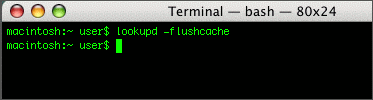
3. That's it! You have now successfully flushed your DNS cache.
Categories
Categories
Dev License: This installation of WHMCS is running under a Development License and is not authorized to be used for production use. Please report any cases of abuse to abuse@whmcs.com
Flushing Your DNS Cache on a MAC OS Print
- 273
Was this answer helpful?
Related Articles
Powered by WHMCompleteSolution